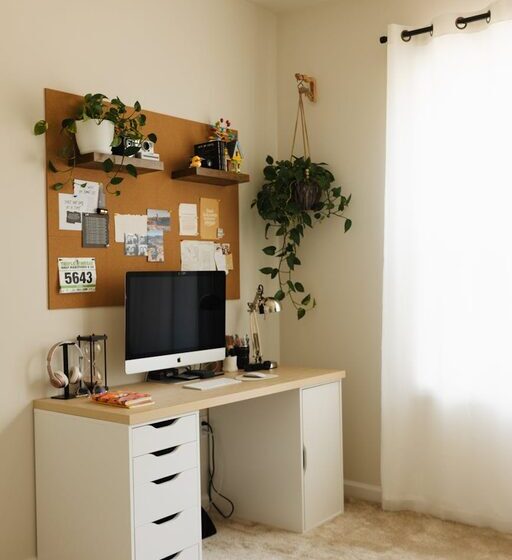

Creating a home workspace that feels both cozy and functional can significantly improve your work-from-home experience. A well-designed area helps you stay focused, reduces stress, and encourages a healthy work-life balance. Whether you have a dedicated room or a small corner, these tips will guide you in setting up a space that supports your productivity while keeping comfort in mind.
Assess Your Needs and Space
Before you start arranging furniture or choosing decor, take a moment to evaluate your work habits and the available space.
– Understand Your Work Style: Do you need a lot of desk space for papers and tools, or do you mostly use your laptop? Are you on calls frequently and require soundproofing or a quieter environment?
– Measure Your Space: Knowing the exact dimensions of your workspace helps you select appropriately sized furniture and avoid overcrowding.
– Consider Lighting: Natural light is ideal. If your workspace doesn’t have access to sunlight, plan for quality artificial lighting.
Choose the Right Furniture
Selecting furniture that matches both comfort and functionality is key.
Desk
– Size & Shape: Pick a desk that fits your equipment and leaves room for note-taking or creative work.
– Adjustability: Standing desks or adjustable-height desks can promote movement and reduce fatigue.
– Quality: A sturdy desk made of durable materials will last longer and support your work essentials safely.
Chair
– Ergonomics: An ergonomic chair supports your back, encourages good posture, and can reduce discomfort throughout the day.
– Adjustable Features: Look for height and armrest adjustments to customize the fit for your body.
– Comfort: Choose a chair with breathable fabric to stay comfortable over long hours.
Optimize Lighting and Ambiance
Lighting impacts mood and productivity profoundly.
– Maximize Natural Light: Position your desk near a window if possible. Use sheer curtains to diffuse any harsh sunlight.
– Layered Lighting: Combine ambient light with task lighting like desk lamps for focused illumination.
– Color Temperature: Use warm white bulbs (2700K–3000K) for a cozy atmosphere or cooler bulbs (4000K–5000K) to stay alert.
Organize for Efficiency
A clutter-free workspace reduces distractions.
– Storage Solutions: Use shelves, drawers, and organizers to keep supplies neatly stored.
– Cable Management: Use clips, sleeves, or cable boxes to keep wires tidy and out of the way.
– Minimalism: Keep only essentials on your desk; this helps maintain focus.
Add Comfort and Personal Touches
Comfort is not just physical; it’s also emotional.
– Textiles: Incorporate soft rugs, cushions, or throws to create a warm and inviting environment.
– Plants: Adding greenery improves air quality and adds a touch of nature that can boost your mood.
– Artwork and Decor: Choose inspiring art or meaningful objects that motivate you without causing clutter.
Use Technology Wisely
Technology should make work easier, not more complicated.
– Reliable Equipment: Invest in a good-quality monitor, keyboard, and mouse for comfort and efficiency.
– Noise Management: Use noise-canceling headphones or a white noise machine to block distractions.
– Connectivity: Ensure your internet connection is strong and stable for smooth virtual meetings and cloud work.
Maintain Work-Life Boundaries
Design your workspace to support healthy boundaries.
– Separate Spaces: If possible, keep your work area distinct from leisure areas to mentally separate work from personal time.
– End-of-Day Rituals: Have a routine to signal the end of your workday, such as closing your laptop or tidying your desk.
– Flexibility: Arrange your space so it can be easily transitioned back to a personal area when work hours are over.
Keep It Updated and Adaptable
Your needs may change, so be prepared to adapt your workspace.
– Seasonal Changes: Adjust lighting or add warmer elements during winter months.
– New Equipment: Leave room for adding or upgrading technology and furniture.
– Feedback Loop: Regularly reflect on what works and what doesn’t to keep improving your setup.
—
By thoughtfully creating a workspace that balances comfort and functionality, you set the stage for productive, enjoyable workdays at home. Small changes and intentional choices go a long way in making your home office a place where you can focus, create, and thrive.